Distraction-free interface
A clean screen that shows only what you need: the timer.
TimeZen times your sessions, protects your breaks, and keeps a quiet record of your focus, so deep work feels sustainable, not draining.
Pick a work length and a break length, or use the defaults from the original Pomodoro Technique.
TimeZen counts down quietly in the background. No feeds, no badges, nothing competing for your attention.
A gentle cue tells you when to stop. Step away, then come back for the next round, fully recharged.
A clean screen that shows only what you need: the timer.
Set your own session, short break, and long break lengths to match how you actually work.
Attach a task to each session and keep a running history.
See how many sessions you've completed and how today compares.
Soft color palettes that shift gently between focus and break modes.
A quiet tap on your wrist or phone when it's time to switch.
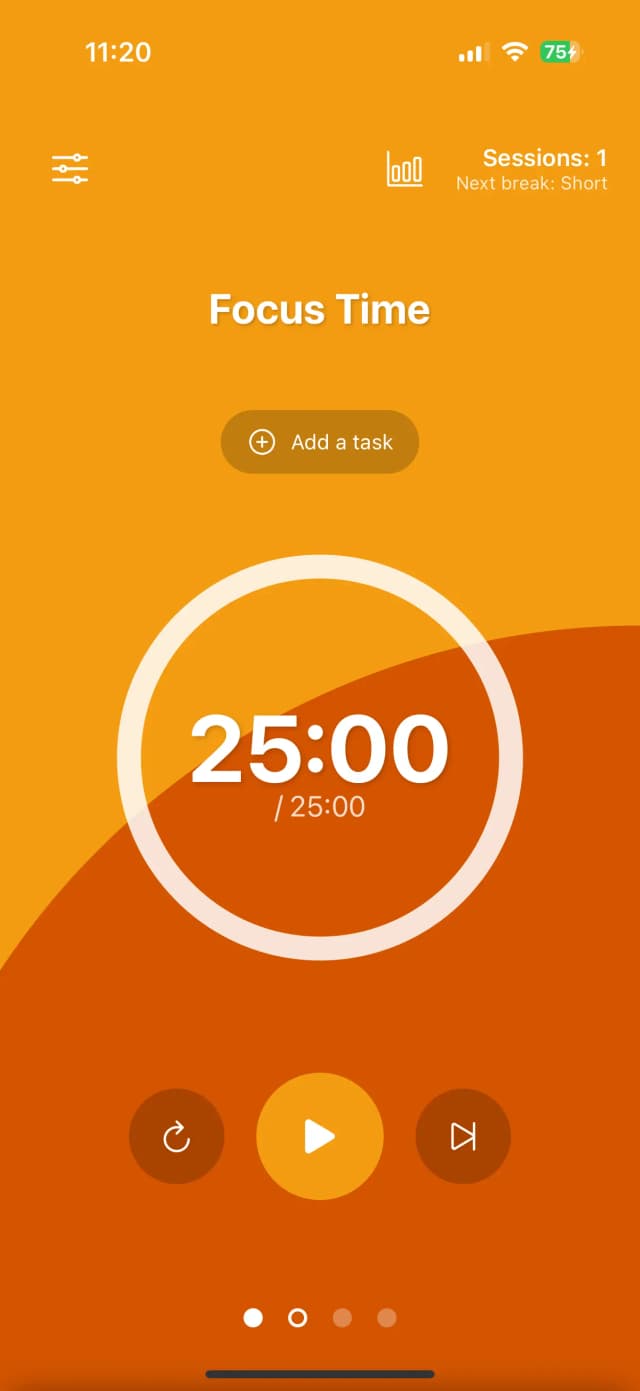
Open TimeZen, start a session, and put your phone down. The interface gets out of the way so the only thing left to look at is what you're working on.
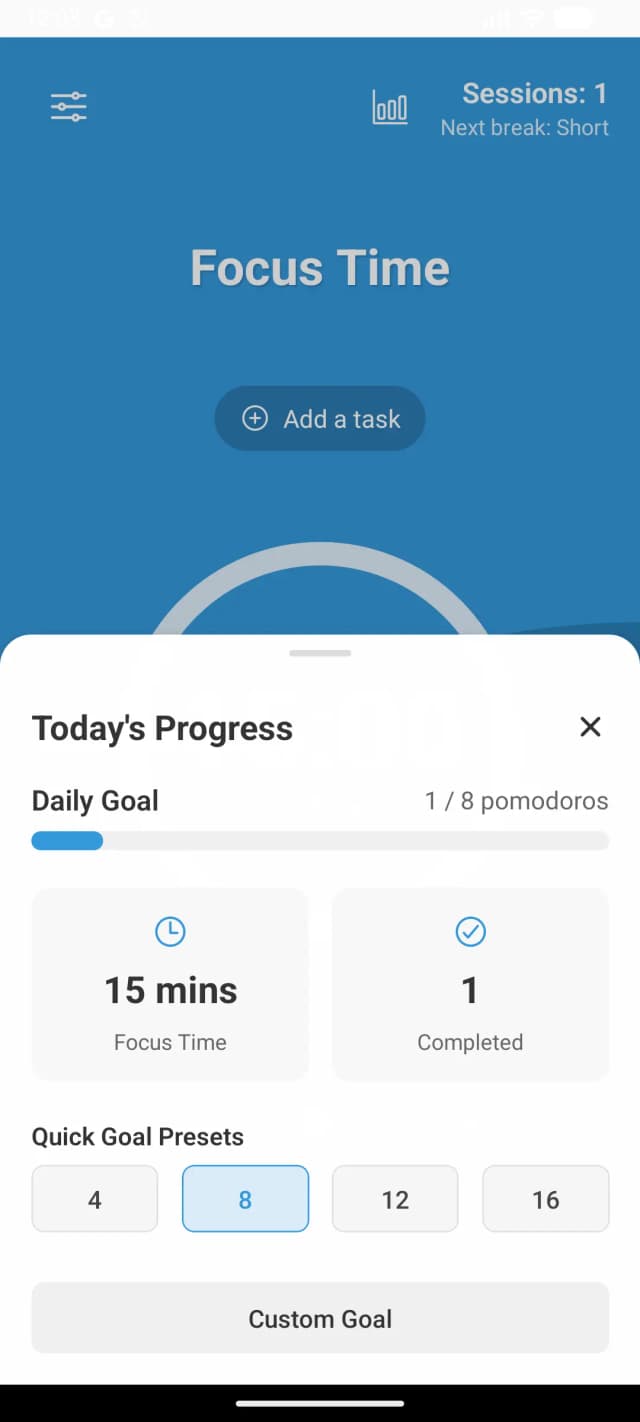
A dedicated statistics dashboard details your progress toward daily goals. Review your cumulative focus minutes and easily tweak your target counts as you build your focus stamina over time.
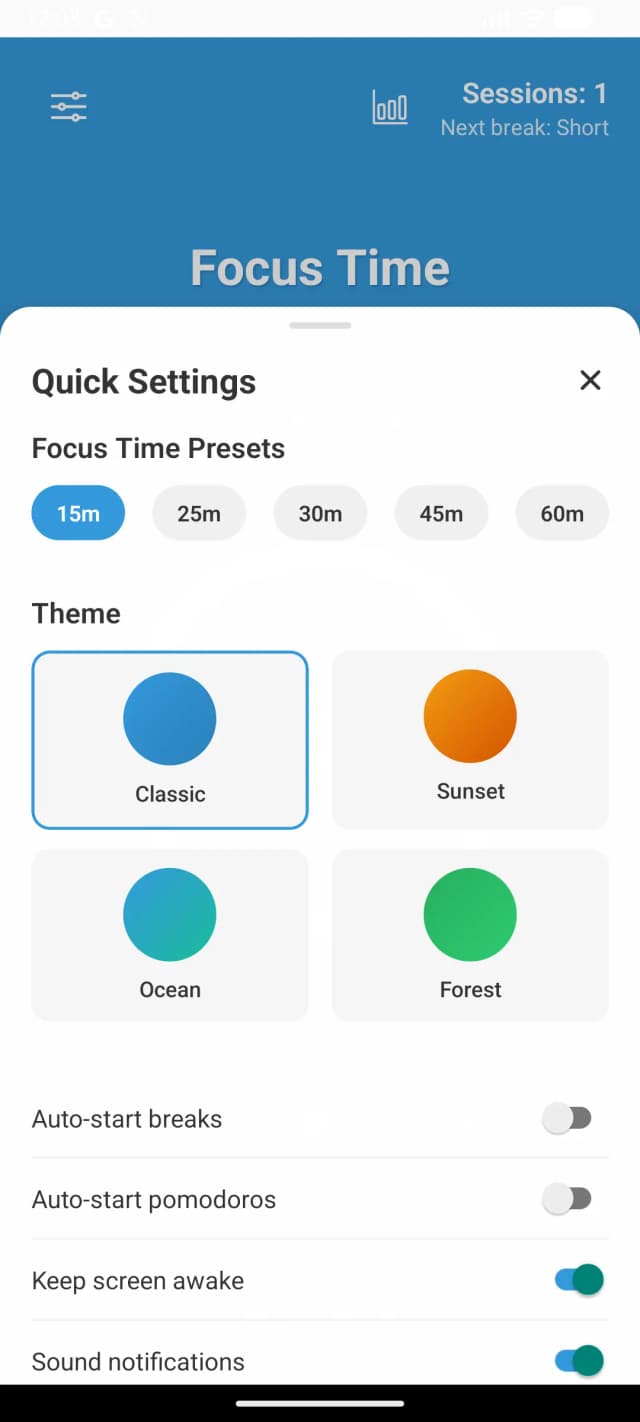
Tailor every parameter of your sessions. Adjust focus intervals, toggle auto-starting transitions, and swap between calming color schemes specifically calibrated to signal work versus recovery periods.
Keep track of your countdown without constantly unlocking your phone. TimeZen harnesses iOS Live Activities and Dynamic Island support to float your remaining time and current focus target directly on your screen.
“The first timer app I've stuck with for more than a week. The break reminders actually get me away from my desk.”
“Simple enough that I set it up once and never had to think about it again. That's exactly what I wanted.”
“Seeing my sessions stack up through the week is a small thing, but it keeps me honest about how I'm spending my time.”
A time management method that breaks work into focused intervals, traditionally 25 minutes, separated by short breaks. Each interval is called a pomodoro.
TimeZen runs the Pomodoro Technique behind a calm, distraction-free interface, so you can start a session in seconds and trust it to manage your breaks.
Yes. The 25/5 split is the default, but you can set any work length, short break, and long break that fits how you work.
Yes. Timers, tasks, and your session history all work without an internet connection.
Yes. TimeZen is completely free to download and use. All themes and features are fully unlocked.
TimeZen is available for iOS and Android.
Free to download, ready in under a minute. Available for iOS and Android.